EchoStep
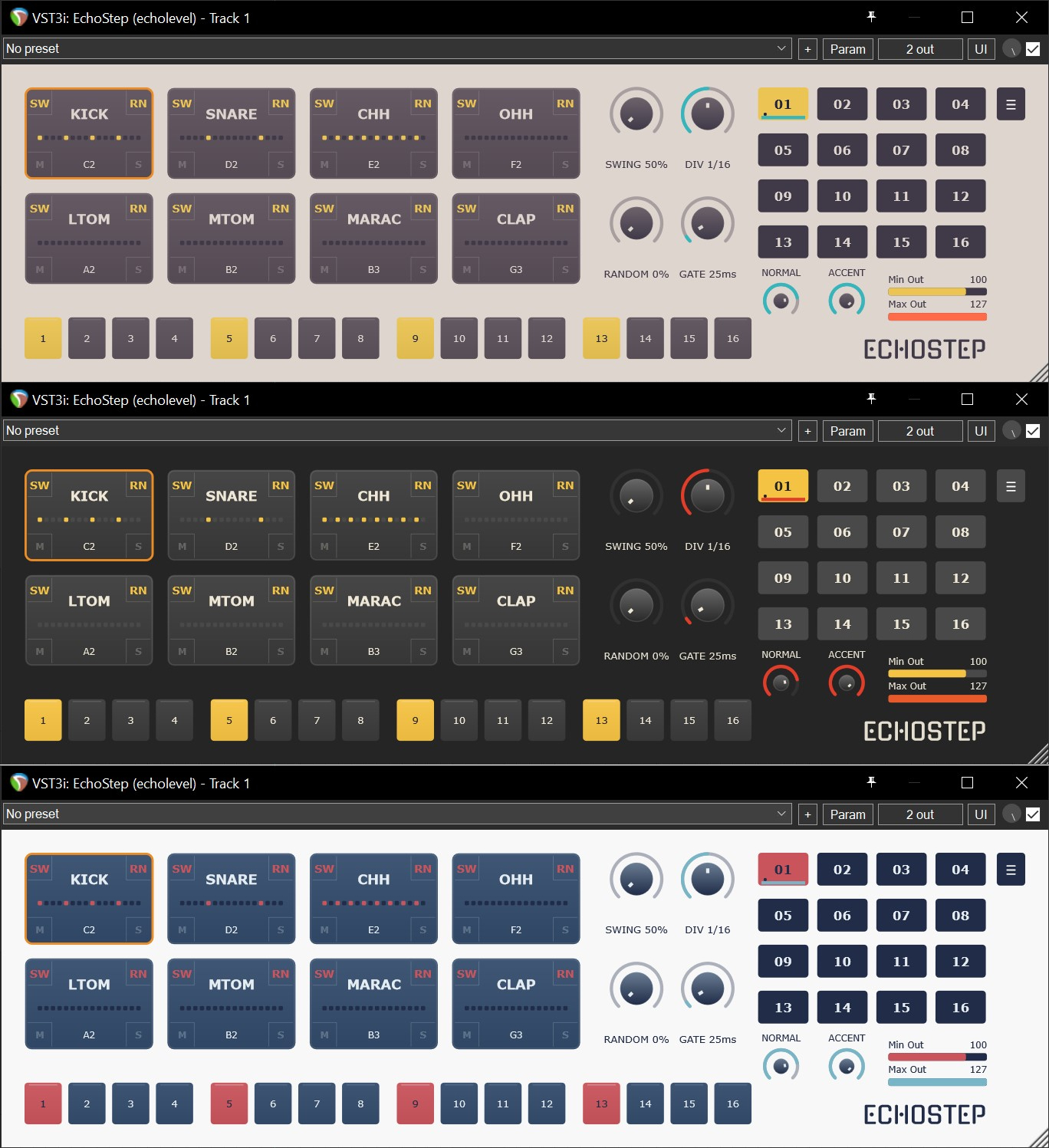
I wanted a really minimal step sequencer with NO built-in drum synth or sample player functionality and I couldn’t find anything that fit the bill, so I wrote this for my own use.
It’s free, use as you please, but don’t blame me if anything goes wrong. I’ll try to fix any real howler bugs if they crop up, and I’ll consider any reasonable requests for improvements and fixes for OS/DAW-specific quirks, but I make no promise of support beyond that.
Enjoy!
Features:
-
8 tracks
- Only one track’s steps are visible at a time (piano rolls and grid irritate me)
-
No built-in sound generation: the point is for this to be agnostic, and simply output MIDI notes to other instruments. I mostly use it with Sitala 2.
-
Pattern lengths no more than 16 steps, but polyrhythms can be achieved by shortening individual tracks (middle-click on the desired final step)
-
16 patterns that can be cued with low (C0+) MIDI notes; the next pattern will start when the current pattern has finished
-
Clean, resizeable, themeable, uncluttered UI (I’m no UI engineer but I’ve done my best). If the ‘LED’ step display on each pad is too much clutter for you, disable it in the config menu.
-
Global swing and randomise amount controls. Randomise doesn’t affect empty tracks, ie won’t introduce notes to a silent track. Each track can opt out of swing/randomise using the SW and RN buttons.
-
The Random knob doesn’t make any persistent changes; if you want persistent randomisation of steps, right-click a pattern to choose Sparse, Moderate or Dense random fills, or ‘true’ randomisation which fully rolls the dice on which steps/accents are enabled
-
Global gate control allows longer note durations - useful when triggering non-percussive sounds
-
Step timing divisions from eighth to thirty-second (including triplets)
-
Normal and Accent velocity levels can be adjusted, defaulting to 100 and 127 respectively
-
All knobs can be MIDI-learned and automated in DAW envelopes
-
Right-click track buttons, knobs and pattern buttons to see context menus for things like pad config (name and MIDI note); editing functions; and MIDI learn/clear buttons
-
Left-click step buttons to toggle actie step; right-click step buttons to toggle accent
-
You can also paint steps and accents on/off by holding left or right mouse button and dragging across multiple steps
-
The theme system is pretty straightforward - you can make your own by copying and editing one of the XML files created in EchoStep’s user directory after you first run the plugin
-
MIDI Mappings can be saved and loaded as XML files: they consist of note assignations per track and track names
- Lots of tooltips that hopefully explain anything else that needs an explanation
Disclaimer:
This software is free, ‘as-is’, author accepts no liability for anything you do with it and offers no warranty against anything going wrong. Copyright 2026 Brendan O’Callaghan Ratliff, all rights reserved.
Downloads
Download EchoStep 1.0.0 VST3 and Standalone for Windows
Download EchoStep 1.0.0 VST3 and Standalone for MacOS (NOT notarised)
macOS notes
There’s no AU version for this one, because AU does not deal well with instruments (as opposed to effects) which emit MIDI but no audio. There’s a separate category for MIDI effect, that I think only exists in AU-land, but I haven’t wrapped my head around it. Anyway, EchoStep didn’t work as an AU so I’m just building VST3 and Standalone for now, as with Windows.
The MacOS version is NOT notarised/code-signed, because I’m not paying Apple $99 just so I can give away free software. This means you might have to employ some workarounds, which I’ve attempted to describe below. Try these at your own risk - if you’re not comfortable with the command line, maybe give it a miss.
Also bear in mind that the only Mac hardware I have is a 2015 MBP - probably Apple’s last great laptop, but distinctly long in the tooth. I can run EchoStep on it, but I can’t promise that it’ll behave on modern Apple Silicon (M1 etc). However it is compiled on modern Apple Silicon via GitHub Actions, so hopefully it’ll be fine!
- Install the plugin - copy VST3 to
~/Library/Audio/Plug-Ins/VST3/ - If macOS blocks it, remove the quarantine flag:
sudo xattr -dr com.apple.quarantine ~/Library/Audio/Plug-Ins/VST3/EchoStep.vst3
depending on where you installed it.
- If it’s still blocked, go to System Settings -> Privacy & Security, look for something like ‘Allow Anyway’, and click it (this might be pointless, since a VST is binary code but not an Application).
- Reeopen your DAW and rescan.
Note: if you download the zip using Safari, the zip itself might get quarantined. If so, use the xattr command above to remove the flag. See the comments under this post for more info (thanks, Peter Swimm!)