MetronFX
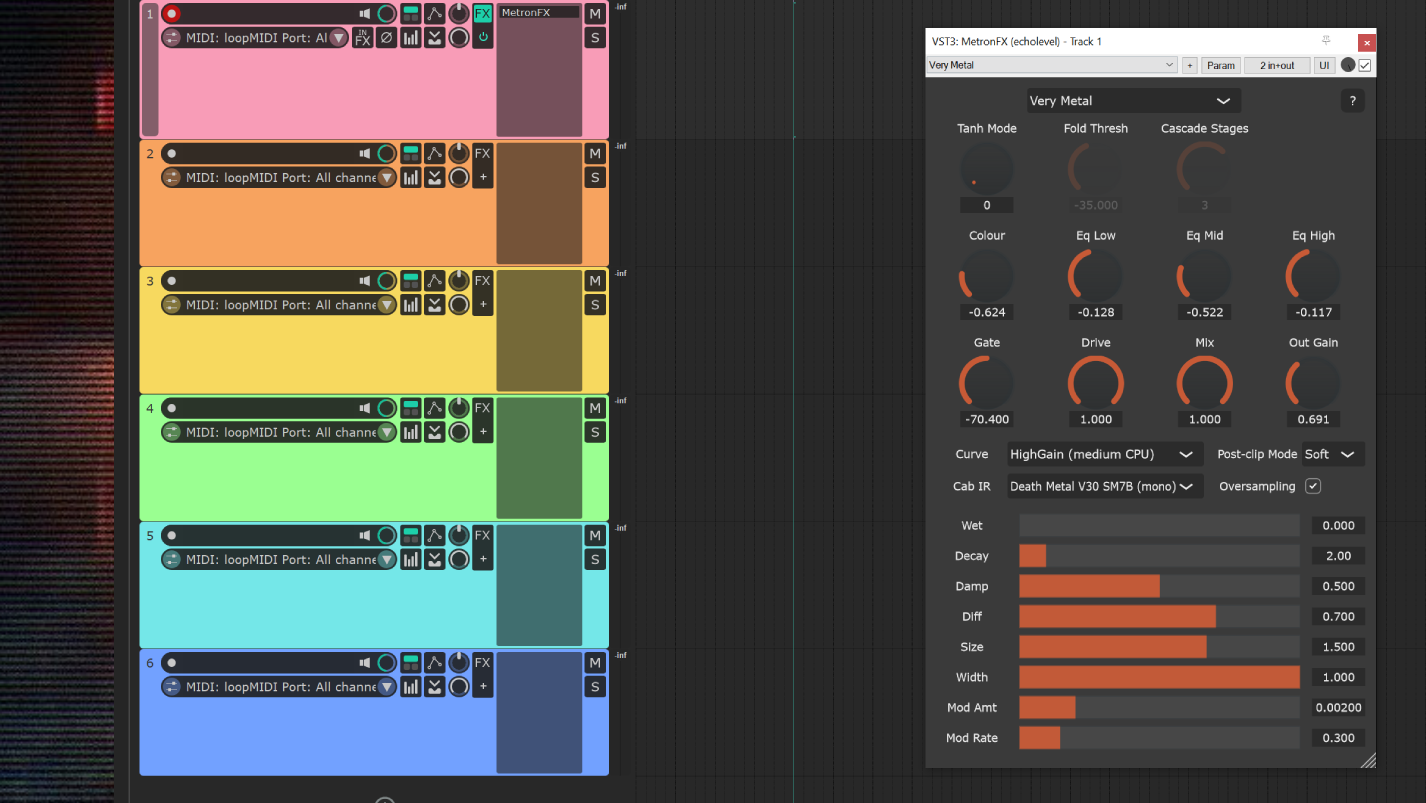
MetronFX is a free VST3 effect plugin that allows some of the insert/buss effects from Metron Tracker to be used in a DAW. Currently it offers a range of high gain guitar-style distortion models and Metron’s efficient but characterful PS1-inspired reverb.
Metron is the music editor and middleware plugin I write and maintain at Cardboard Sword where we use it in our Unreal Engine games. Its editor is a custom tracker DAW, which works both standalone and within Unreal Editor, and the music can be played back in-game with realtime bidirectional sync between gameplay systems and musical events.
Since Metron isn’t quite ready for public release yet, this is a little taste of what it does in realtime in two of our games so far - Transmission: Shortwave and The Siege and The Sandfox. The fact that Metron runs very performantly on Meta Quest (mobile ARM) VR hardware should hopefully be reflected in the low CPU usage of this plugin in your DAW. I find it rarely creeps above 4% of RT CPU budget usage in Reaper with an armed external guitar input and all the most ‘expensive’ options ticked. That’s on a Ryzen 7 5800X; please let me know on Bsky if your experience is wildly different!
Disclaimer:
This software is free, ‘as-is’, author accepts no liability for anything you do with it and offers no warranty against anything going wrong. Copyright 2025 Brendan O’Callaghan Ratliff and Cardboard Sword, all rights reserved.
Downloads
Download MetronFX 1.2.2 beta VST3 installer for Windows
Download MetronFX 1.2.2 beta VST3 and AU for MacOS (NOT notarised)
macOS notes
The MacOS version is NOT notarised/code-signed, because I’m not paying Apple $99 just so I can give away free software. This means you might have to employ some workarounds, which I’ve attempted to describe below. Try these at your own risk - if you’re not comfortable with the command line, maybe give it a miss.
Also bear in mind that the only Mac hardware I have is a 2015 MBP - probably Apple’s last great laptop, but distinctly long in the tooth. I can build and run MetronFX on it, but I can’t promise that it’ll behave on modern Apple Silicon (M1 etc).
- Install the plugin - copy VST3 to
~/Library/Audio/Plug-Ins/VST3/, or AU to~/Library/Audio/Plug-Ins/Components/ - If macOS blocks it, remove the quarantine flag:
sudo xattr -dr com.apple.quarantine ~/Library/Audio/Plug-Ins/VST3/MetronFX.vst3
or:
sudo xattr -dr com.apple.quarantine ~/Library/Audio/Plug-Ins/Components/MetronFX.component
depending on where you installed it.
- If it’s still blocked, go to System Settings -> Privacy & Security, look for something like ‘Allow Anyway’, and click it (this might be pointless, since a VST is binary code but not an Application).
- Reeopen your DAW and rescan.
Note: if you download the zip using Safari, the zip itself might get quarantined. If so, use the xattr command above to remove the flag. See the comments under this post for more info (thanks, Peter Swimm!)